

Accessibility has become more publicly known since former President Bill Clinton, signed into law the Workforce Investment Act of 1998. This law expanded on the Section 508 of the Rehabilitation Act from 1986 and is what most of us know as accessibility for digital documentation. It is directed at US Federal agencies but accessibility has become a concern for most companies due to the Americans with Disabilities Act of 1990.
At Artisan, we think making accessible training is just the RIGHT thing to do. That is why we have decided to include some level of accessibility in EVERY course we produce, even if the client does not require it. Below is a list of accessibility features we will be incorporating into all of our courses.
- Closed captioning
- Appropriate color contrast
- Color not being the sole way to convey meaning
- Inclusive language choices
- Regard for sense-based tasks
- Images reflecting people with disabilities
- No flash or flicker elements
- Larger buttons
So what does this mean?
Closed Captioning
We will include Closed Captioning on all courses. In the past, this was an paid option but now we are including it on all courses at no extra charge. Captioning is an awesome feature even for learner who have perfect hearing. Imagine that you need to complete a training course but you don’t want to disturb your coworkers and you forgot your earbuds or headset. Just turn on captions, turn down or mute the audio and take the course knowing that you will get every spoken word. It is awesome.
Appropriate Color Contrast
We will be making every effort to ensure ALL courses pass WCAG color contrast tests. This includes initial testing by our contracted developers using a tool like “Color Contrast Analyzer.” Our own Diane Elkins has created a template slide that you can import into your Storyline project and test color combinations for contrast using the Chrome plugin above or other contrast checker.
Color Not Being the Sole Way to Convey Meaning
Because color perception can be challenging for some learners, we will also ensure that color is not the only method of conveying meaning or status. For instance, an object turns green if it is the correct response or turns a slightly darker shade if it has changed status. Instead, we will incorporate an additional shape or physical change to the object in addition to color in order to indicate the objects change in status.
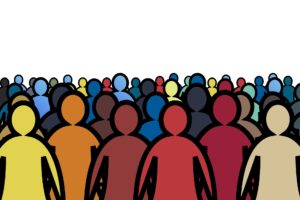
Inclusive Language Choices
We want our courses to be inclusive of all peoples. This means we will be mindful of pronouns when describing individuals. We want to avoid exclusive language with regard to race/ethnicity, ability, age, gender/sexual orientation, or socioeconomic status.
This also means using inclusive terminology in directional or instructional text. Rather than “Click the NEXT button” we would use “Select the NEXT button” in on-screen text, transcript, and narration. However, the selection of course language is ultimately up to our client.

Regard for Sense-Based Tasks
Following with inclusive language for instructional or directional text, we want to be aware of tasks that would prove challenging for learners using assistive devices. We will avoid interactions that require dragging of objects or at least provide alternate interactions to achieve the same goal.
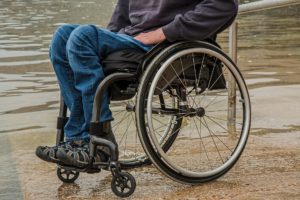
Images Reflecting People with Disabilities
More and more clients are asking about diversity in the selection of imagery. This could be a selection of diverse races or ages but it could also include other groups as well. Diversity in courses just makes sense and it is something we intend to be more aware of in our image selections.
Our stock image vendor, Getty, has developed collections for a variety of groups that will help with finding diverse imagery. Just log into your Getty account and go to “Collections.” There you will find a section called “Helping you change the narrative” with various diverse image collections.

No Flash or Flicker Elements
Not only can flashing or flickering elements induce seizures, they are not very attractive from a design perspective. In the future, Artisan would like to avoid using any animation or other visual that flashes or flickers.
Larger Buttons
In an effort to make our course more accessible, we want to ensure that buttons and other interactive objects are sized appropriately for ease of use. Generally speaking, no interactive element should be smaller than 45 pixels in either dimension.
For More Information
To learn more about Artisan’s accessibility initiative and how to deliver an accessible course, see the following resources:
- Artisan’s Online 508 Style Guides (Writers, Developers)
- The Described and Captioned Media Program’s Captioning Key
- ATD’s Toolbox Tip: How to Find Inclusive Imagery
- Web Content Accessibility Guidelines (WCAG) 2.2